Configuring Multiple Network Internet Cards
You can configure multiple network internet cards (multi-NIC) as part of your appliance template in the Install Profile. This is only available for Linux-based appliances.
To set multi-NICs for an appliance template:
Select the appliance you want to modify.
From the
Stackpage, click onInstall Profilein the toolbox.Select
Network.Click
create. By default it is set toAutomatic.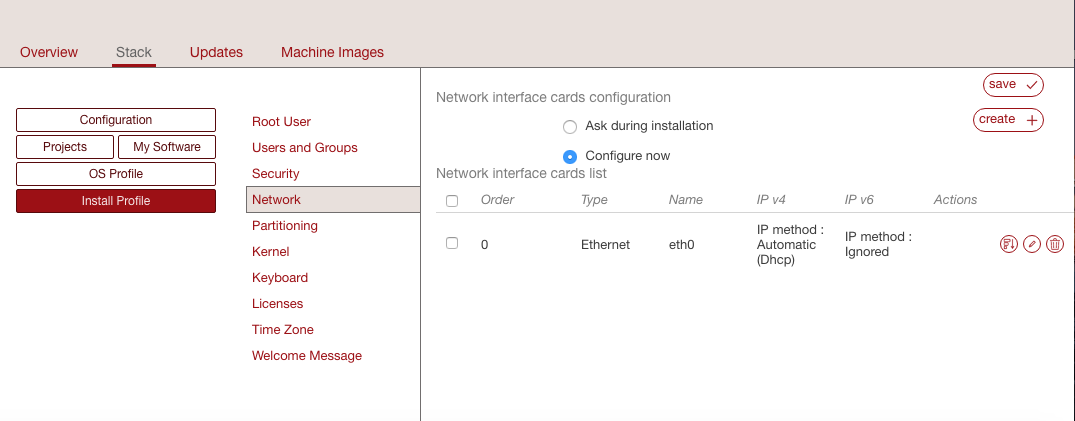
Select
Manual. The following page will appear.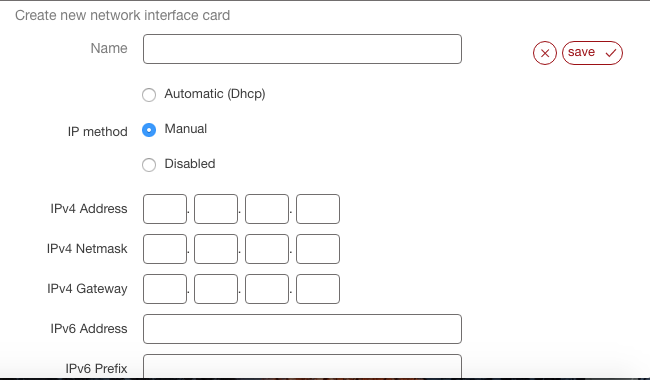
Enter the name and IP information.
Click
save.Optionally you can change the network card order. Click on the symbol on the left of the pencil icon, on the main
Networkpage.